
Project context
Keep every build and signal anchored to the project it belongs to.
Available on the Mac App Store · macOS 14+
Free to download · Pro unlocks remote synchronization.
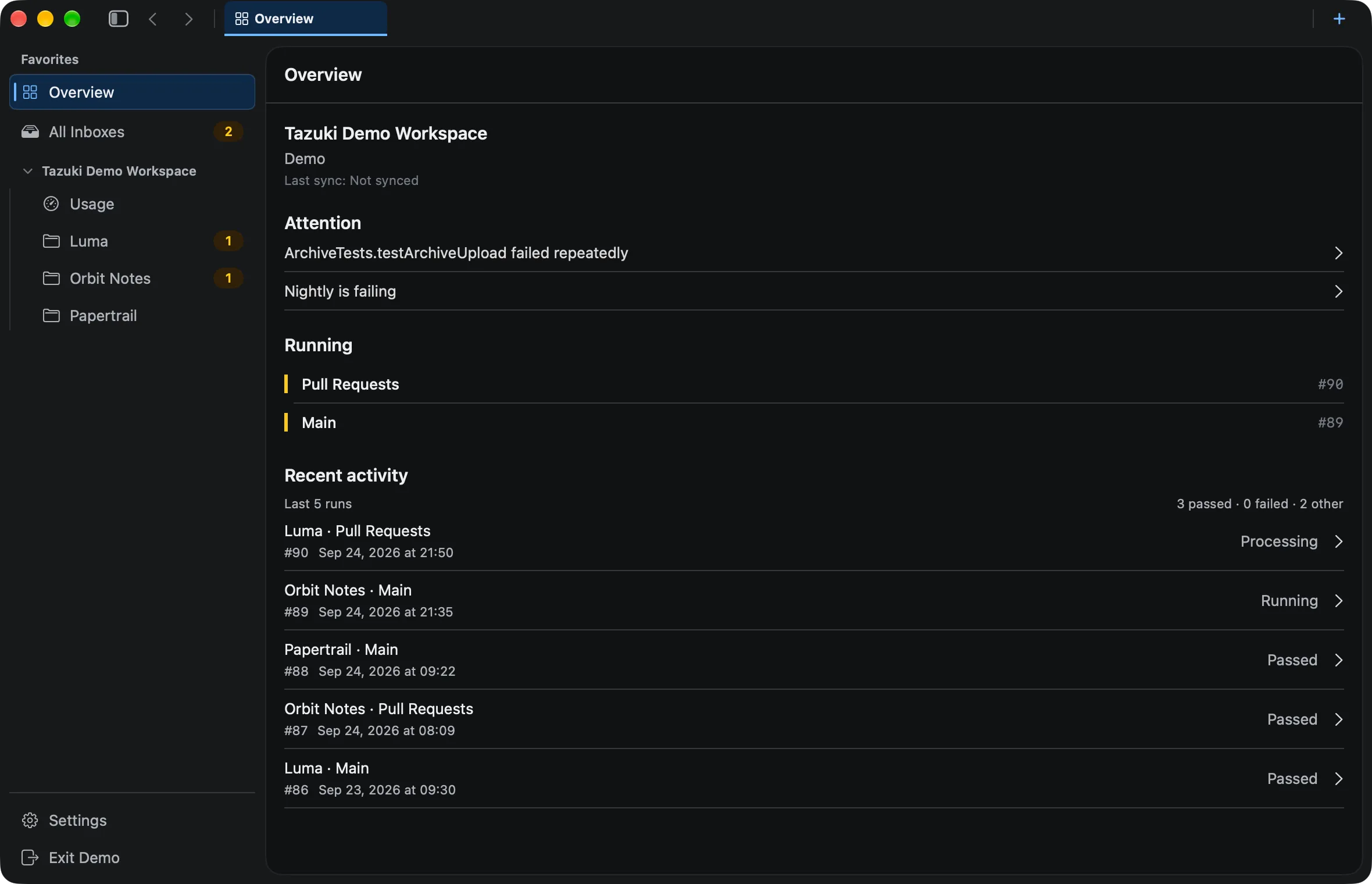
From signal to context
Move from a failed run to similar errors, related test results, and longer-term trends — without losing the project context.
See the builds, failures, and tests that deserve a closer look right now.
Keep a project’s runs, history, and current state in one focused workspace.
Move from a failed build to its fingerprint, then out to the trend behind it.
A better read on delivery
Review recurring failures, test instability signals, and build-time changes in the same project history — rather than treating each run in isolation.
Keep every build and signal anchored to the project it belongs to.
See terminal outcomes, durations, and recent activity without hunting through runs.
03Group repeated failures into stable problems you can recognize over time.
04Notice tests that keep breaking before they become background noise.
05Read build duration and test signals as movement, not isolated numbers.
Explore Tazuki
Start with the workflow that matches your question, then follow the related paths through the same project context.
Review synchronized runs, outcomes, durations, and the context around each build.
02Look across failed builds for recurring failure details and useful history.
03Follow test results across builds and notice repeated instability signals.
04Read builds, failures, tests, and duration as longer-term project signals.
05Understand Tazuki as a native Mac workspace and Xcode Cloud companion.
Local-first by design
Tazuki syncs from App Store Connect, stores normalized facts locally, and performs its analysis on your Mac. The provider supplies the source; Tazuki gives the history a working memory.
Built for developers who want context without another cloud console.
Available now
Download Tazuki for free. Local history remains available without a subscription; Pro adds remote synchronization with monthly, yearly, or lifetime access.
Pro in-app purchases (US): $1.99/month · $14.99/year · $29.99 lifetime. Prices and trial eligibility vary by region.
Download on the Mac App Store ↗Questions, answered
Tazuki is a native macOS workspace for developers who use Xcode Cloud. It brings project context, builds, failures, tests, synchronized history, and trends into a focused place to review.
Tazuki is a companion client and workspace for Xcode Cloud data. It connects through App Store Connect and does not run builds or replace Xcode Cloud.
Yes. After Tazuki synchronizes the history available through its App Store Connect connection, you can review build outcomes, durations, and project context locally on your Mac.
Tazuki supports multiple project contexts so that builds, failures, tests, and trends remain connected to the project they belong to.
Tazuki organizes failure details and recurring signals across synchronized builds. It helps you understand the pattern; it does not automatically fix Xcode or CI configuration errors.
Tazuki stores normalized delivery facts and local analysis in SQLite on your Mac. App Store Connect is the source for the history Tazuki can obtain and synchronize.
Tazuki supports macOS 14 and later.
Tazuki is available on the Mac App Store. It is free to download; optional Pro plans unlock remote synchronization.
No. Tazuki is a native companion for understanding the build, test, and release history Xcode Cloud already produces.