
Xcode Cloud · analytics & trends
Track Xcode Cloud metrics, build time, and delivery trends over time.
Tazuki helps developers read the movement inside synchronized Xcode Cloud history: builds, failures, tests, duration, and recurring signals across projects.
See how Tazuki fitsDirect answer
Focused analytics for the delivery history already in your workspace.
Tazuki is not a general analytics platform. Its job is narrower and more useful: keep local historical context around Xcode Cloud data so that developers can recognize movement, revisit recurring signals, and decide what deserves a closer look.
Core metrics
Compare Xcode Cloud metrics across builds, failures, and tests.
Project delivery rarely changes in only one dimension. Tazuki keeps build outcomes, failures, tests, and recurring signals close enough to compare in their project context.
- Build outcomes
- Failure and test signals
- Recurring project movement
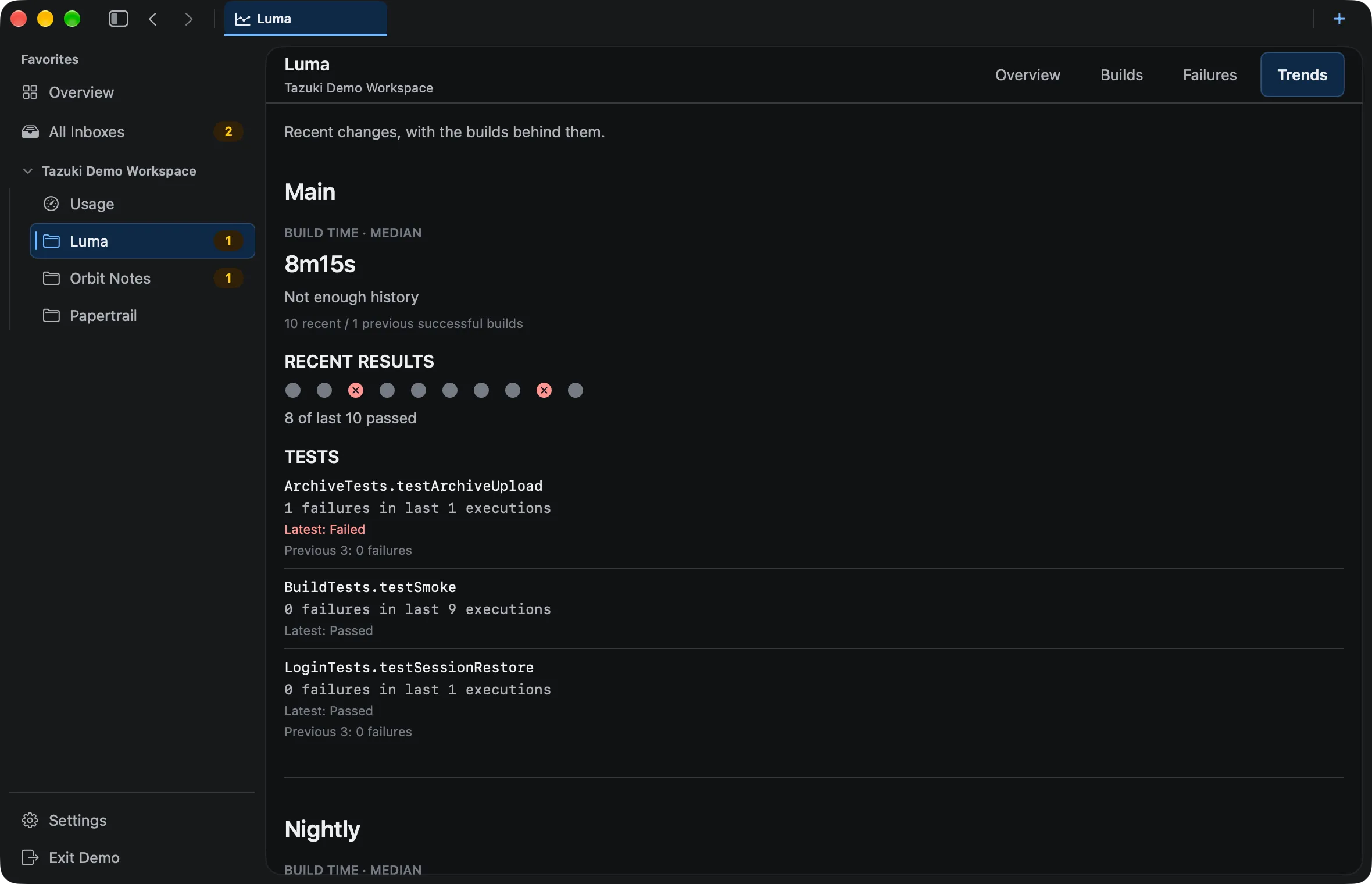
Build time
Track build duration and build time across runs.
Tazuki brings duration history into the same sequence as recent and previous builds so you can notice build-time movement without treating one run as a complete explanation.
- Duration across runs
- Recent versus previous builds
- Build-time movement
Investigation signal
Use slow-build trends as an investigation signal.
A slow-build trend can point toward a useful investigation, but Tazuki does not automatically optimize build speed or determine a performance root cause.
- Slow-build trends
- Developer-led investigation
- No automatic optimization or diagnosis
Underlying context
Keep analytics tied to the underlying build history.
Analytics is most useful when it leads back to the builds, failures, and tests behind the movement. Compute usage is different from wall-clock build duration; review that separate context in Xcode Cloud compute usage.
- Build history context
- Failure and test paths
- Separate compute usage concept
A useful boundary
Analytics with a deliberately narrow promise.
Tazuki provides local historical context and trend views for Xcode Cloud data. It does not claim forecasting, AI diagnosis, BI-scale reporting, or an explanation that the source data cannot support.
- No complex forecasting or predictive guarantee
- No AI failure diagnosis claim
- No replacement for Xcode Cloud or App Store Connect
Questions, answered
Before you add another view to your workflow.
What Xcode Cloud metrics can I review in Tazuki?
Tazuki focuses on synchronized delivery signals such as build outcomes, duration, failures, test results, recurring patterns, and related historical trends. Compute usage and CI performance have a separate Usage view.
How can I track Xcode Cloud build duration over time?
Tazuki keeps synchronized duration history connected to recent and previous builds so you can compare build time movement across runs.
Why is my Xcode Cloud build getting slower?
A slower build can have many causes. Tazuki does not diagnose those causes automatically, but synchronized duration history can show whether build time changed gradually, suddenly, or only in particular runs.
Does Tazuki automatically optimize slow builds?
No. Tazuki helps you see movement in duration; it does not automatically optimize build speed or identify a performance root cause.
What is the difference between build duration and compute usage?
Wall-clock build duration and compute usage are different concepts because build actions can execute in parallel. Tazuki keeps usage estimates and CI performance context separate from the Build Time view.
Does Tazuki provide AI predictions?
No such forecasting or AI analysis should be assumed. Tazuki helps organize and make visible the trends present in synchronized product data.
Tazuki · macOS 14+
Keep the next useful signal close.
Tazuki is available on the Mac App Store. Download it free and unlock remote synchronization with Pro.
Download on the Mac App Store