
Xcode Cloud · native macOS workspace
A native Xcode Cloud app and client for Mac.
Tazuki gives developers who use Xcode Cloud a focused place to follow project context, build activity, failures, test results, and longer-term trends.
See how Tazuki fitsDirect answer
Tazuki is a Mac app for understanding Xcode Cloud data.
It connects to App Store Connect, synchronizes the Xcode Cloud history it can obtain, and keeps normalized facts and analysis close to your work in a local-first workspace. It is a companion to Xcode Cloud, not another CI provider.
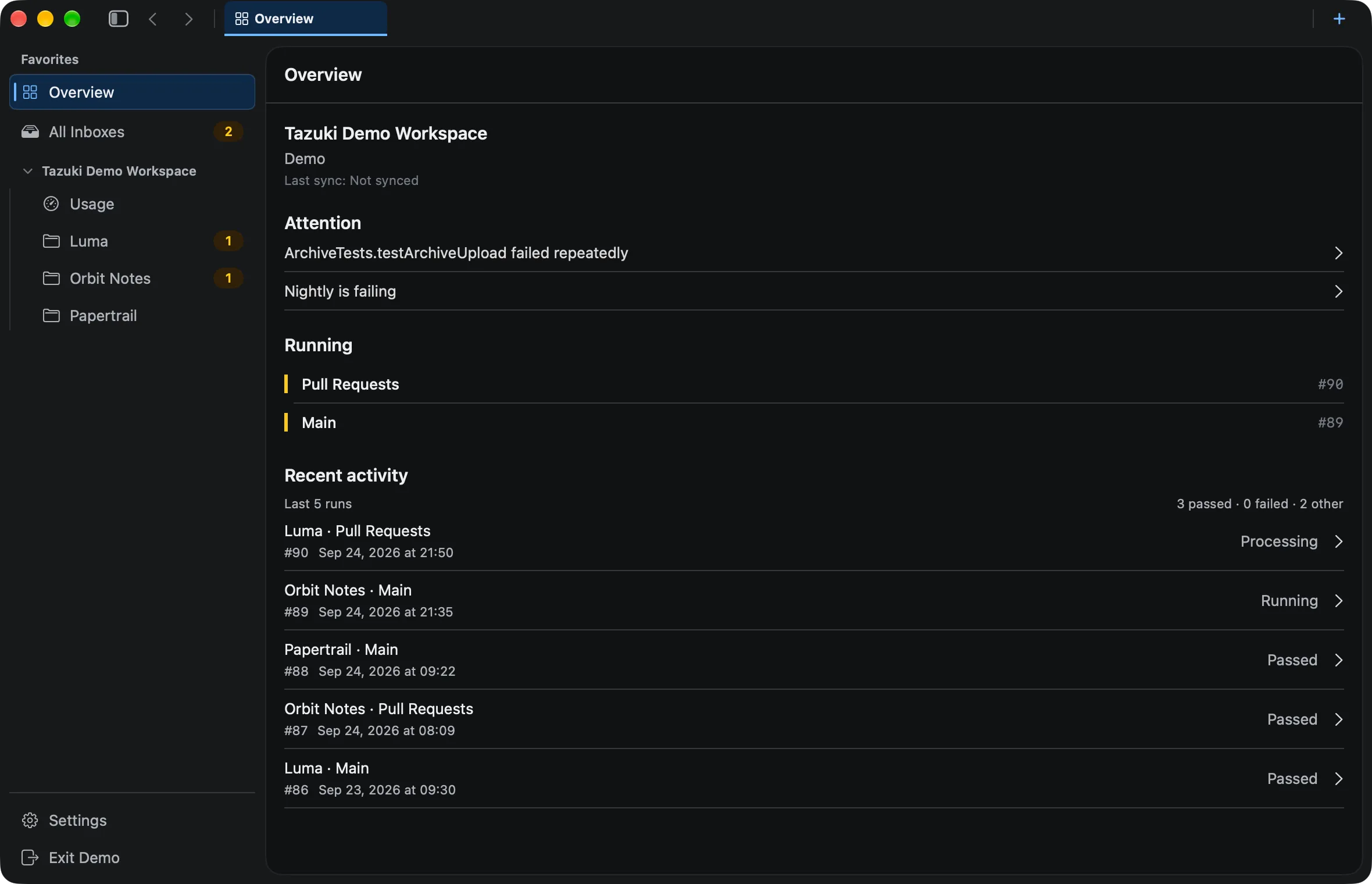
The Mac workspace
A native Mac workspace for Xcode Cloud.
Tazuki makes Xcode Cloud feel like part of the Mac workflow. It keeps project context close while you review builds, failures, test results, usage, and trends.
- Native macOS workspace
- Project-scoped builds and failures
- Test results, usage, and trends
The connection
Connect through App Store Connect without becoming another CI provider.
App Store Connect is the connection point, Xcode Cloud is the source, and Tazuki is the Mac client and companion that organizes synchronized context. Tazuki does not run builds.
- App Store Connect API connection
- Xcode Cloud as the source system
- No build execution or CI provider behavior
Local-first
Keep synchronized Xcode Cloud context local on your Mac.
Tazuki stores normalized facts in SQLite, keeps credentials in macOS Keychain, and performs local analysis. Synchronized history stays in the local workspace, and reconnecting can preserve local identity and history.
- Normalized facts in SQLite
- Credentials in macOS Keychain
- Local analysis and preserved workspace context
Follow the work
Move from project status into builds, failures, tests, and trends.
Use the workspace to move from project context into Builds, Failures, Tests, Trends, or Usage without losing the project and history around the signal.
- Workspace navigation
- Builds, Failures, and Tests
- Trends and Usage context
A useful boundary
Local-first is not fully offline.
Tazuki complements Xcode Cloud rather than competing with it. Synchronized context and analysis stay on your Mac, but new remote data still comes from App Store Connect.
- Tazuki does not run CI/CD builds
- It is not Xcode Cloud itself or an Apple-official replacement
- App Store Connect is required for new remote Xcode Cloud data
Questions, answered
Before you add another view to your workflow.
Is Tazuki a native Xcode Cloud app for Mac?
Yes. Tazuki is a native macOS companion for developers who use Xcode Cloud. It brings builds, failures, test results, synchronized history, usage, and trends into a focused Mac workspace.
What is an Xcode Cloud client?
An Xcode Cloud client is a separate interface for working with data produced by Xcode Cloud. Tazuki is a native Mac companion that reads synchronized data through App Store Connect; it does not replace Xcode Cloud or run builds itself.
Does Tazuki replace Xcode Cloud?
No. Tazuki is a native Mac app and companion for understanding synchronized Xcode Cloud data; Xcode Cloud remains the service that runs builds.
Where does Tazuki store synchronized Xcode Cloud data?
Tazuki stores normalized synchronized facts and local analysis in SQLite on your Mac after synchronization.
Where are App Store Connect credentials stored?
Tazuki keeps the private key in macOS Keychain, separate from the normalized facts stored in local SQLite.
Does local-first mean Tazuki works without App Store Connect?
No. Local-first means synchronized context and analysis stay on your Mac; App Store Connect is still required when Tazuki needs to obtain new remote Xcode Cloud data.
Can I keep synchronized Xcode Cloud history locally on my Mac?
Yes. Tazuki stores the Xcode Cloud facts it successfully synchronizes in local SQLite, allowing the Mac workspace to retain and analyze that synchronized context.
Tazuki · macOS 14+
Keep the next useful signal close.
Tazuki is available on the Mac App Store. Download it free and unlock remote synchronization with Pro.
Download on the Mac App Store